
How to manage 100 tabs in Chrome
At 100 tabs, Chrome's tab strip is just a row of favicons. The problem isn't that you have too many tabs — it's that Chrome gives you no structure for them. SideArc splits tabs into spaces, shows them vertically with full titles, and adds folders and pins.
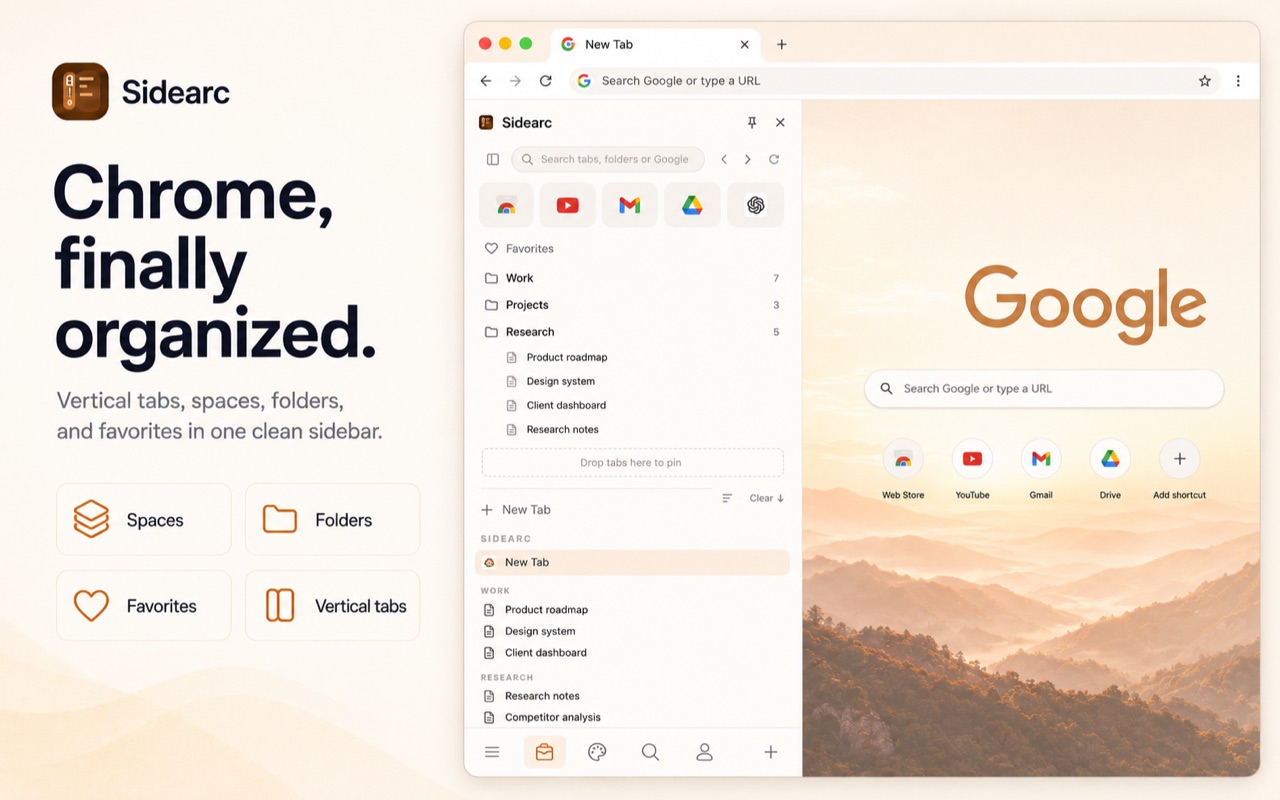
100 tabs split into spaces with full titles. No more favicon hunting.
Step 1: stop treating all tabs as equal
Some tabs are core tools you use every day. Some are active tasks. Some are references. Some are leftovers. A good setup lets you categorize them: pin core tools, save references into folders, and keep active work as live tabs in the right space.
Step 2: split by project
Create spaces for your major contexts: Work, Research, Admin, Personal. Each space shows only its own tabs. Switching spaces is one click or swipe. Your 100 tabs become 4 groups of 25 — manageable.
Step 3: use vertical tabs
A vertical tab manager shows each tab with its full title in a vertical list. Scanning 25 tabs vertically with full titles is fast. Scanning 100 tabs horizontally as tiny favicons is impossible.
Step 4: save what you don't need right now
References and recurring links belong in folders, not the tab strip. A saved-folder workflow lets you save any tab into a folder with one click. Close the tab, keep the link organized. Reopen later when needed.
FAQ
How do I manage 100 tabs in Chrome without crashing my workflow?+
Split them into spaces by project, pin only essentials, and move reference-heavy sets into folders so the live tab list stays smaller and more readable.
Is Chrome usable with 100 tabs open?+
Yes, but the default horizontal strip becomes hard to scan. A vertical layout with project separation makes that tab count far more manageable.
Should I close tabs or save them when I have too many?+
Close finished tabs, keep active ones visible, and save recurring or reference-heavy tabs into folders so they can be reopened without staying open forever.
Can SideArc help me find tabs faster when I have too many open?+
Yes. It shows full titles vertically, supports spaces, and gives you a clearer mental model than one compressed top strip.