
How to hide suggested posts on Instagram
Suggested posts are content from accounts you don't follow that Instagram inserts into your feed. They're one of the main reasons a quick check turns into 20 minutes of scrolling. Instagram lets you dismiss them one by one, but they always come back.
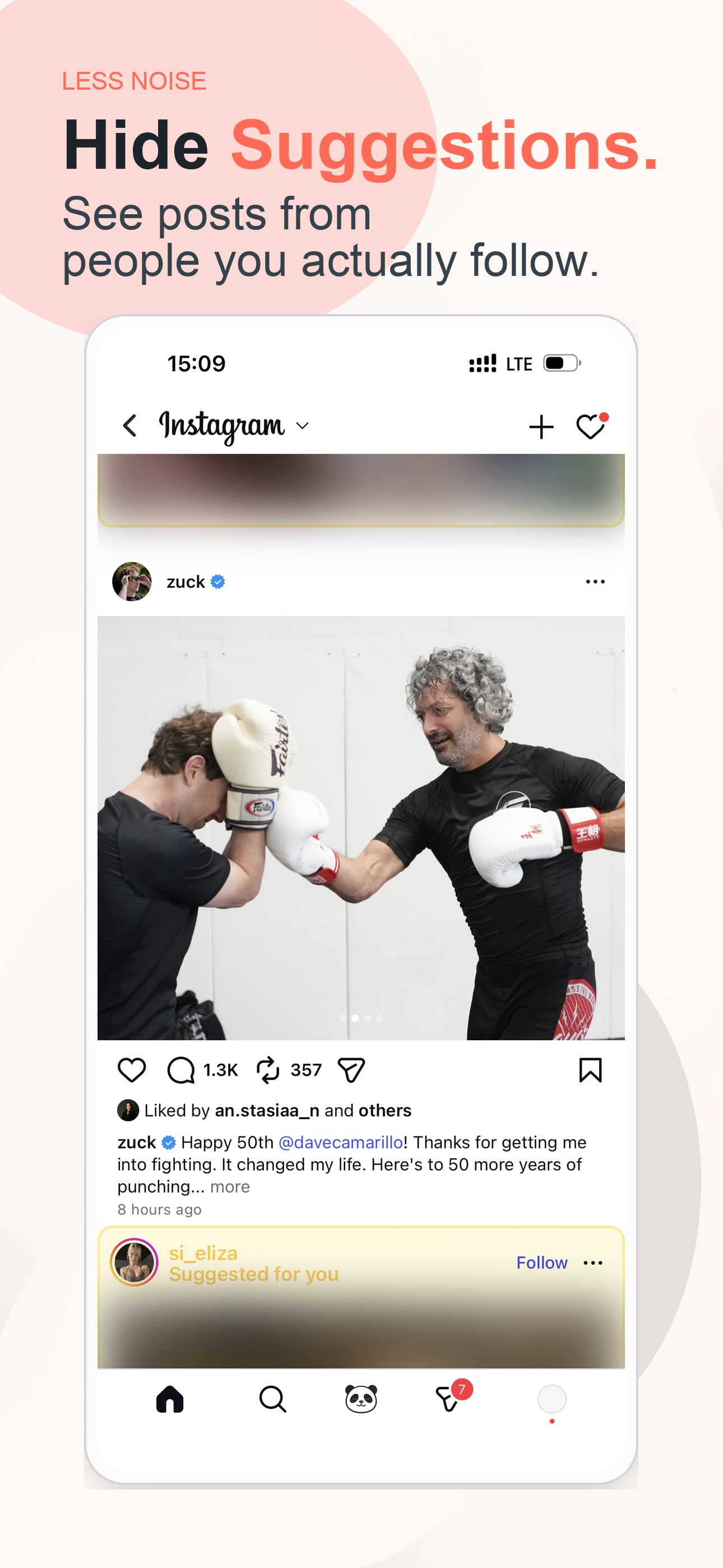
Suggested posts are removed from the feed before they pull you into more scrolling
What Instagram lets you do natively
- Tap "Not interested" on each suggested post. That clears one post, and a new one takes its place immediately.
- Tap "Snooze all suggested posts" where Instagram offers it. That hides them for 30 days, then they come back.
- Use the Following feed. It shows only people you follow, but it resets to the algorithmic feed every time you reopen the app.
None of these remove suggested posts permanently.
A practical way to reduce the feed loop
A feed-filter app opens Instagram inside its own filtered browser. It detects suggested posts by looking for "Suggested for you" labels and follow buttons, then:
- Blurs the entire post. An 18px blur covers the image, the video, and the engagement counts.
- Shows a replacement overlay. A fun fact, quote, language phrase, or your own text appears on top.
- Works automatically. You never tap "Not interested" again.
Posts from accounts you follow appear normally. Only the algorithmic suggested content gets filtered.
FAQ
Can I permanently hide suggested posts on Instagram?+
Instagram only offers temporary controls. Zen Social hides suggested posts continuously by blurring them and replacing them with calmer content, so they do not keep refilling the feed.
What replaces suggested posts in Zen Social?+
Instead of another recommended account, Zen Social can show a quote, fun fact, language phrase, or your own custom text where the suggested post would have appeared.
Do posts from people I follow still show normally?+
Yes. The filtering targets suggested posts from accounts you do not follow, not regular posts from the people you intentionally chose to keep in your feed.
Why are suggested posts so hard to ignore?+
They extend the feed after your followed content ends, which removes the natural stopping point. Hiding them helps the session end when your actual updates run out.