
How to disable Instagram reels
Instagram does not let you turn off reels permanently. You can snooze suggested reels for 30 days, but they come back. A feed-filter app takes a different approach. It opens Instagram inside itself and blocks reels before they ever load.
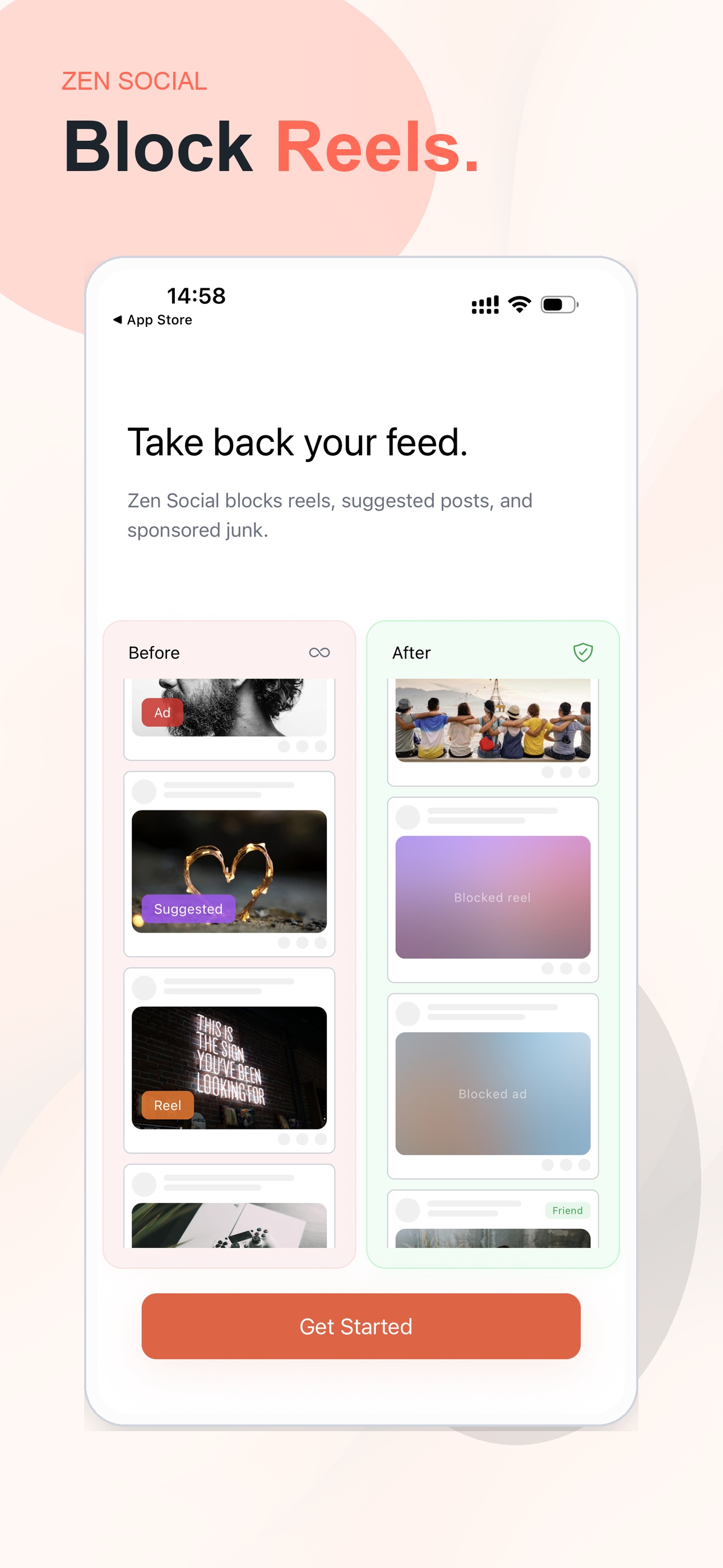
Zen Social blocks reels before they load, and the rest of Instagram stays usable
What Instagram lets you do natively
- Snooze suggested reels. Tap the three dots on a reel and choose "Not interested." That hides similar reels for about 30 days, then they return.
- Mute the Reels tab. Not possible. The tab is fixed in the bottom navigation.
- Turn off autoplay. Instagram removed the option. Videos autoplay everywhere.
None of these fully disable reels. Instagram is built to keep short video front and center.
A practical workaround
A feed-filter app opens Instagram inside its own filtered browser. Before the page renders, it injects code that:
- Removes reel containers from the feed entirely, so they never appear.
- Hides the Reels tab in the bottom navigation and replaces the icon.
- Stops video autoplay on the home feed.
- Blurs suggested posts and can replace them with fun facts, quotes, or language tips.
- Removes ads from the feed.
Messages, stories, and posts from people you follow all work normally.
FAQ
Can you fully disable reels on Instagram?+
Not with Instagram alone. You can temporarily say you are not interested, but reels return. Zen Social blocks reel containers before they load, so they do not show up in the feed or navigation.
Does blocking reels also remove the Reels tab?+
Yes. Zen Social hides the Reels tab and filters inline reels from the home feed, so the main reel entry points are removed instead of just muted.
Can I still use Instagram messages if reels are blocked?+
Yes. Messages, stories, and posts from people you follow still work. The filtering is focused on reels, suggested posts, and ads rather than normal communication.
Why do people search for a reels blocker instead of a timer?+
Because timers add friction after the scroll loop already started. Blocking reels removes one of the biggest triggers up front, which makes shorter sessions much easier.