
Workona alternative
Workona is powerful but can feel heavy. If you want Chrome to stay organized without another system on top, SideArc is a lighter alternative: vertical tabs in the side panel, spaces for projects, folders for saved links, and pins for core tools.
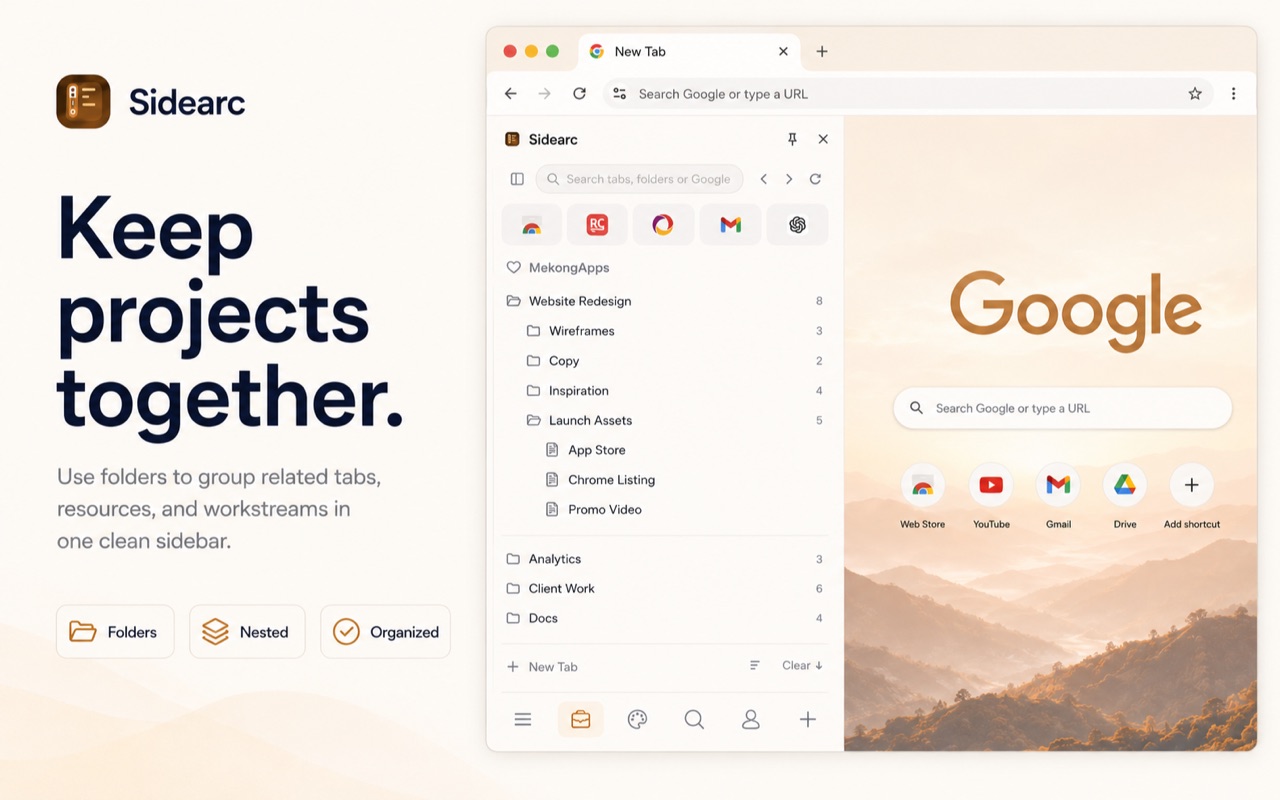
Simpler workspace: spaces, folders, pins in Chrome's side panel
Why people look for alternatives
Workona adds deep workspace orchestration: cloud sync, team collaboration, and comprehensive session management. That's great for large teams. But for individual users who mainly need Chrome to stay organized, the overhead can feel unnecessary.
A better alternative workflow
- Vertical tabs — full titles in Chrome's side panel, not a separate window
- Spaces — separate contexts for each project, switchable with a click or swipe
- Folders — nested saved links per space for recurring references
- Pins — core tools stay at the top of each workspace
- Drag-and-drop — move tabs and links between spaces and folders
- One-time purchase — Pro unlocks unlimited spaces with no subscription
When to choose which
Workona: if you need team workspaces, cloud sync, and deep session orchestration.
SideArc: if you're an individual who wants Chrome to stay organized with spaces, vertical tabs, and folders — without a heavyweight system on top.
FAQ
Why do people look for a Workona alternative?+
Often because they want a lighter, more Chrome-native setup for personal use or smaller workflows, without extra overhead.
How is SideArc different from Workona?+
SideArc focuses on live tab organization in Chrome's side panel with spaces, folders, pins, and vertical tabs, rather than broader workspace orchestration.
Is SideArc a simpler option for solo users?+
Yes. It fits well when you mainly want cleaner tab management and project separation inside Chrome.
Does SideArc support saved structure like Workona?+
Yes. You can keep recurring links in folders and maintain separate spaces, while still working with live tabs in real time.