Your Chrome tabs
are out of control.
Forty open tabs, none of them readable, and the one you actually need is buried somewhere in the strip. SideArc gives every project its own space — so nothing gets lost again.
Free to install · No account needed · Works in the Chrome you already use
SideArc installs on desktop Chrome.
It lives in Chrome’s side panel, so you’ll want to add it from your computer. Send yourself the link so it’s waiting when you get there.
It’s not you. Chrome just wasn’t built for this many tabs.
The horizontal tab strip was fine for five tabs. By the time you’re juggling forty across three projects, it falls apart — and takes your focus with it.
You can’t read a single tab.
Favicons shrink to slivers. You click through ten lookalikes to find the one you need.
Work and life are in one pile.
Slack, taxes, that gift you’re buying, a doc due at 5 — all crammed into one window.
You lose research constantly.
You close a tab you needed, then spend ten minutes re-finding the same three links.
Reopening means rebuilding.
Every morning you reconstruct yesterday’s tabs from memory. Again.
One side panel.
Every project in its place.
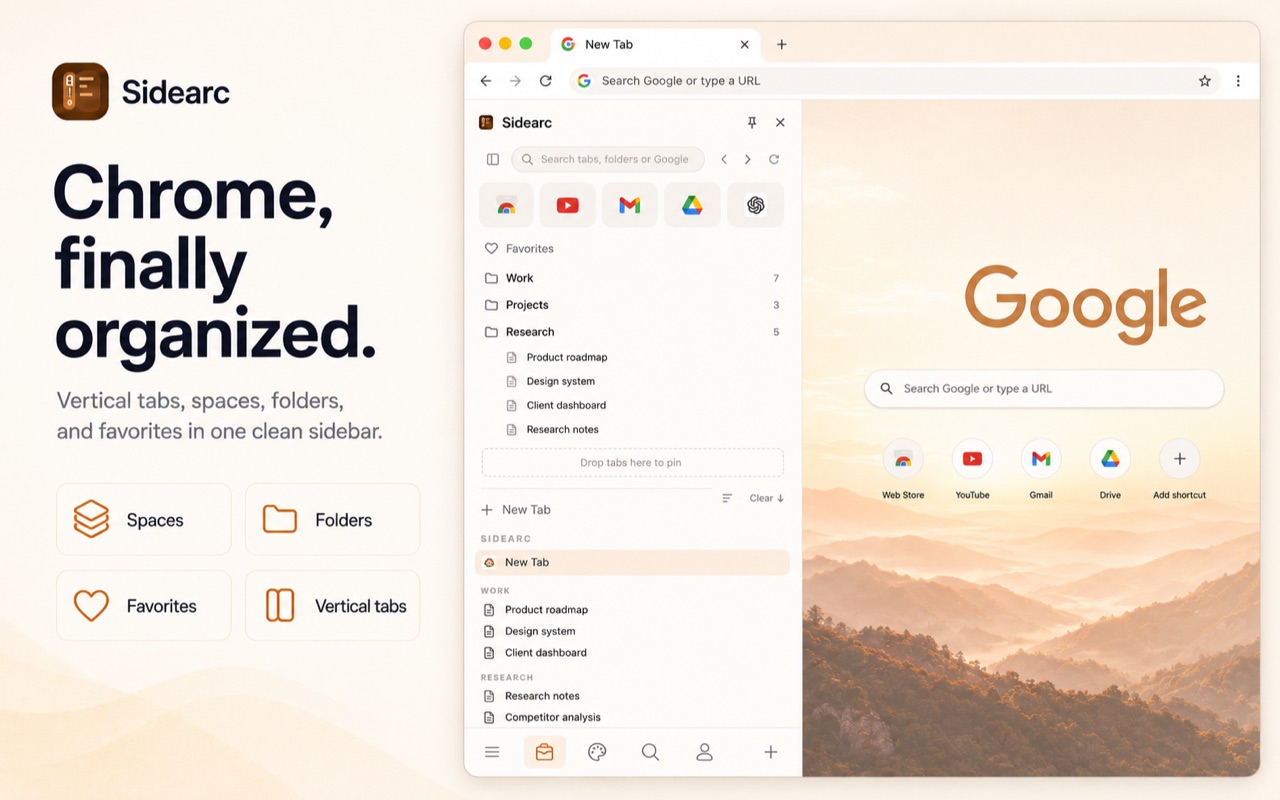
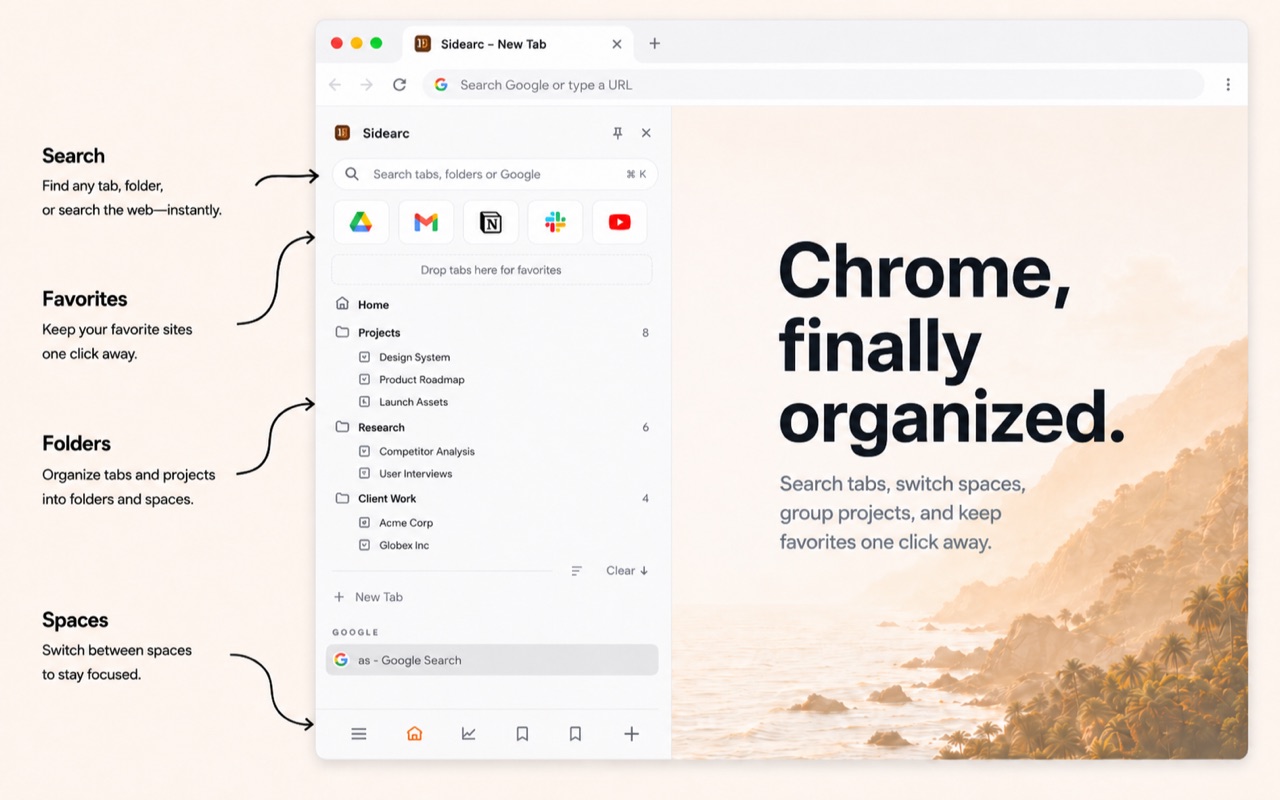
SideArc moves your tabs into a clean, readable vertical list in Chrome’s side panel — then splits them into spaces, one per project. Your work, your research, and your personal life stop colliding.
No new browser. No syncing accounts. No learning curve. Just the Chrome you already use, finally organized.
From a wall of slivers to a panel you can actually read.
Chrome’s tab strip at 11am
- ✕ Titles squeezed down to a single icon
- ✕ Work and personal tabs blurred together
- ✕ The tab you need is anyone’s guess
SideArc in the side panel
- ✓ Full, readable tab titles in a vertical list
- ✓ A separate space for every project
- ✓ Anything you need, one search away
Less time wrangling tabs. More time doing the work.
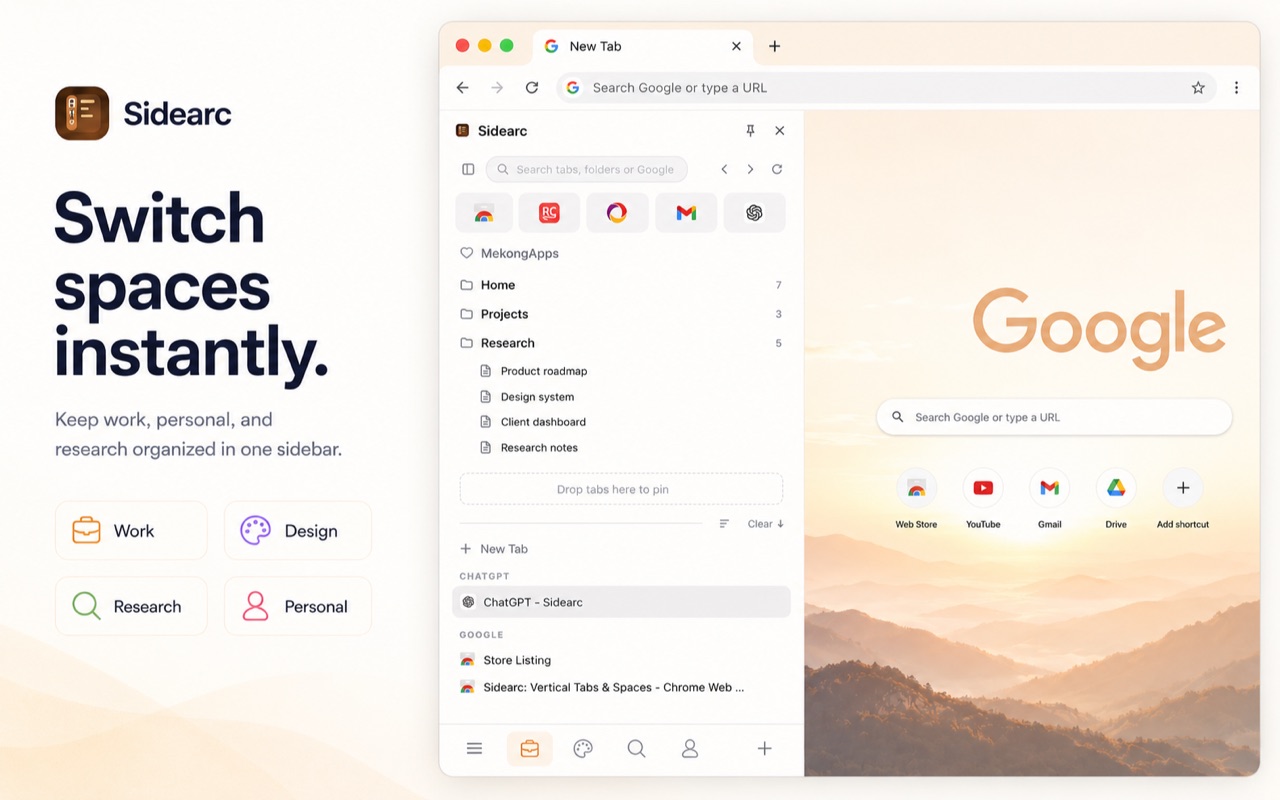
Switch projects without losing your place.
Give every context its own space — work, a client, research, personal. Each one keeps its own tabs and pins, so jumping between projects never means digging through a wall of unrelated tabs.
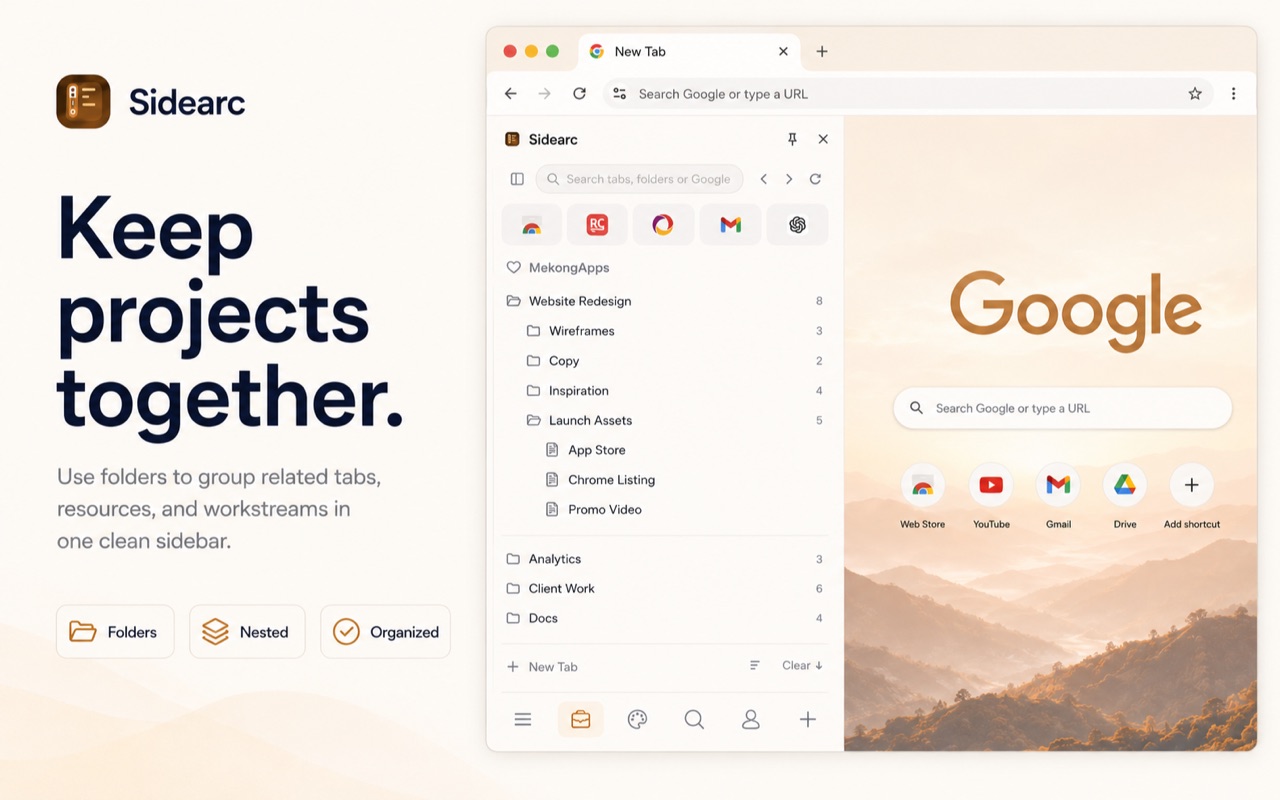
Save research once. Never re-find it.
Drop pages into folders and nested folders that mirror how you actually think. Close the tab without fear — it’s saved, organized, and one click away when you need it.
Find any tab in two keystrokes.
Stop hunting across forty lookalike favicons. Search every open and saved tab by name and jump straight to it — or search the web without leaving the panel.
Bring your whole setup in one click.
Pull in your open tabs and bookmarks, sort them into spaces and folders, and review everything before you commit. You’re organized in minutes, not days — and you never leave Chrome.
Arc-style organization — local, private, and in Chrome.
You don’t have to switch browsers, sign into a cloud, or hand your tabs to an “AI agent” to get spaces and readable tabs.
| What you get | | Arc browser | Chrome tab groups | Side Space | Doing nothing |
|---|---|---|---|---|---|
| Readable vertical tabs in a side panel | ✓ | ✓ | ✕ | ✓ | ✕ |
| A separate space for every project | ✓ | ✓ | Groups only | ✓ | ✕ |
| Save & reopen research as folders | ✓ | ✓ | Bookmarks | ✓ | ✕ |
| Search every open and saved tab | ✓ | ✓ | ✕ | ✓ | ✕ |
| Command palette + keyboard shortcuts | ✓ | ✓ | ✕ | ✕ | ✕ |
| Auto-hiding sidebar that reveals on hover | ✓ | ✓ | ✕ | ✕ | ✕ |
| Works fully without an account | ✓ | ✕ | ✓ | ✕ | ✓ |
| Your tabs stay on your device — no cloud | ✓ | ✕ | ✓ | ✕ | ✓ |
| Never silently moves or deletes your tabs | ✓ | ✓ | ✓ | ✕ | ✓ |
| Keep your extensions, logins, and history | ✓ | Migrate them | ✓ | ✓ | ✓ |
| Set up in under a minute | ✓ | New browser | ✓ | Needs login | — |
Arc is a great browser and Side Space is a capable extension. SideArc’s difference: every tab stays a real Chrome tab, on your own device, with no account. Competitor details are from public info as of June 2026.
The worst thing a tab tool can do is lose your tabs.
These are real, unedited reviews of other Chrome tab extensions. SideArc is built so this simply can’t happen — every tab in the panel is a real Chrome tab, and your spaces and folders live on your own device.
“lost my tabs!!!!”
“The Agent feature silently deletes tabs, which is really bad.”
“All tabs gone!!! Can’t even restore tab groups — they were not closed but DELETED!”
“Lost a whole window worth of tabs… it’s just lost. Unacceptable.”
SideArc can’t lose your tabs.
- ✓ Every tab in the panel is a real Chrome tab — close SideArc and your tabs are still right there.
- ✓ Spaces, folders, and pins are saved locally on your device, never in someone else’s cloud.
- ✓ No “AI agent” quietly regrouping or deleting things behind your back.
Quotes are genuine public Chrome Web Store reviews of competing extensions, shown unedited; reviewer names omitted.
- ✓ Free to install
- ✓ No account needed
- ✓ Your tabs stay on your device
- ✓ Works in the Chrome you already use
People try every tab tool. They keep this one.
“I tried 18 different sidebar extensions and SideArc stood out as the best by a mile. I’m an ex-Arc user — I’ve got a space for personal, one for work, and a creative one for my design work, and it’s become invaluable. The best sidebar extension I’ve used.”
I built the tab manager I couldn’t find.
I loved how Arc organized my browsing into spaces — but switching browsers meant giving up the extensions, logins, and habits I rely on every day. So I’d open Chrome and drown in forty unreadable tabs all over again.
SideArc is the fix I wanted: Arc-style spaces and readable vertical tabs, right inside Chrome, with everything staying on your own device. No account, no cloud, no lock-in. If it ever doesn’t do that for you, email me — I read every message.
I use SideArc all day to run my own work — and I read every email that comes in.
Free forever. Pay once only for unlimited. Never a subscription.
Use SideArc free for as long as you like — every feature, no account, no time limit. The only thing you ever pay for is unlimited spaces, and that’s a single one-time payment. No monthly fee, ever.
Vertical tabs, folders, search, pinned shortcuts, the command palette, themes, and one-click import — the full workflow, with 2 spaces. No account required.
Everything in Free, plus unlimited spaces. One device, yours forever — no subscription.
30-day money-back guarantee. No subscription. No upsell nags.
See full pricingTake back your browser.
Install SideArc and give every project a home. Free to install, no account needed, ready in under a minute.
Add to Chrome — FreeLearn the SideArc workflow
Quick answers and practical setup guides for vertical tabs, spaces, and Chrome tab management.
Vertical tabs for Chrome
A cleaner layout when Chrome's horizontal tab strip gets unreadable.
Tab ManagerChrome tab manager
Manage live tabs across work, research, and personal projects.
Arc IntentArc vs SideArc
Bring Arc-style spaces and vertical tabs into Chrome without switching browsers.
How do I get vertical tabs in Chrome? +
Install SideArc from the Chrome Web Store. It adds vertical tabs in Chrome's side panel with readable tab titles, spaces, folders, and pinned tabs.
What is the best Chrome tab manager for active tabs? +
For live tab organization, look for vertical tabs, project spaces, pinned tools, saved folders, and drag-and-drop. SideArc is built around that workflow.
Is SideArc an Arc alternative for Chrome? +
Yes. SideArc brings Arc-style spaces and vertical tabs to Chrome without requiring a browser switch.
Does SideArc work with Chrome tab groups? +
Yes. SideArc can complement Chrome tab groups while giving you a more readable side-panel layout for daily navigation.
Will SideArc slow Chrome down? +
No. SideArc runs in Chrome’s native side panel and only acts on the tabs you already have open. There’s no background syncing or heavy processing, so it stays light even with hundreds of tabs.
Why does SideArc need permission to see my tabs? +
To show and organize your tabs, SideArc needs to read their titles and URLs — that’s what the permission prompt covers. Everything stays on your own device in Chrome’s local storage; nothing is sent to a server or to us.
What happens to my tabs and folders if I uninstall? +
Your open tabs are just normal Chrome tabs, so they stay. Saved spaces and folders live in local storage; you can export them first if you want to keep them. Nothing is locked to a SideArc account, because there isn’t one.
Does SideArc sync across my computers? +
The free and Lifetime plans keep everything on one device. If you want your spaces and folders to follow you across machines, the Supporter plan adds multi-device sync.
Is SideArc really free? +
Yes — you can install and use vertical tabs, folders, search, and 2 spaces for free with no account. A one-time $19 Lifetime purchase unlocks unlimited spaces and every feature. There’s no subscription.