Comparison
Tab session manager for Chrome
Session managers save your browser state and restore it later. Useful for crash recovery and reopening project bundles. But if your problem is staying oriented while work is active, you need a workspace — not just a restore button.
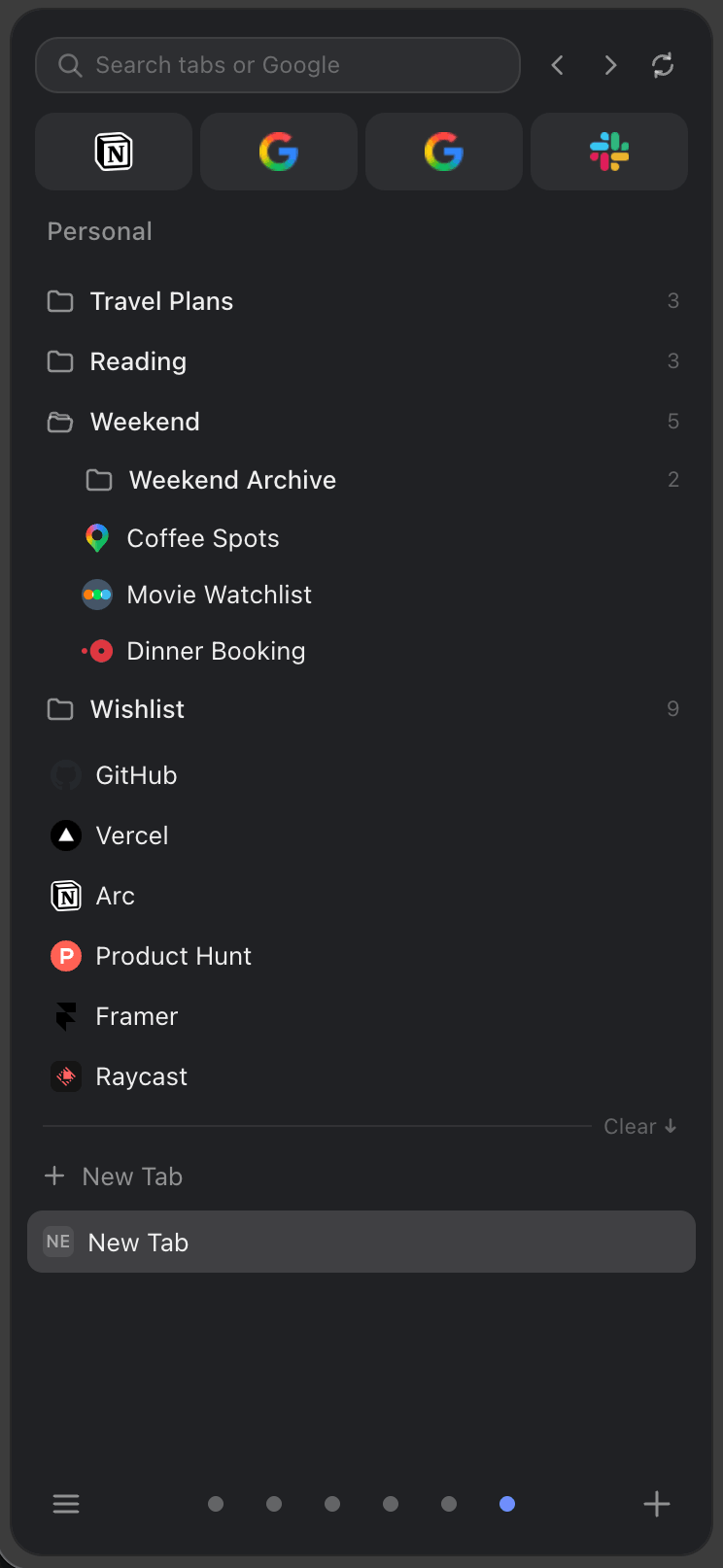
Sessions vs workspace
Live tab management vs save-and-restore
What session managers do well
Capture a browser state and reopen it later. Good for: research bundles you want to revisit, crash recovery, and project snapshots. Popular session managers like Tab Session Manager or Session Buddy handle this reliably.
Where session managers fall short
- They don't help navigate live tabs — only saved ones
- No spaces or project separation while tabs are active
- No pinned tools or persistent folders alongside open tabs
- Restoration creates a new window of tabs, not an organized workspace
What SideArc does differently
SideArc manages tabs while they're open. Spaces split your live tabs by project. Folders save links alongside your open tabs. Pins keep core tools at the top. The side panel shows everything in a vertical list you can drag, reorder, and search.
When to use which
Session manager: if you mostly need to save browser state for later restoration.
SideArc: if your problem is staying organized while 20-100 tabs are actively open across multiple projects.
You can use both. Save sessions for backup, use SideArc for daily work.
Related: save tabs in Chrome, Chrome workspace extension.