Buyer Guide
Chrome workspace extension
If Chrome is where you do most of your work, you need more than tab groups and bookmarks. SideArc turns Chrome's side panel into a workspace with spaces for separate projects, vertical tabs, folders for saved links, and pins for core tools.
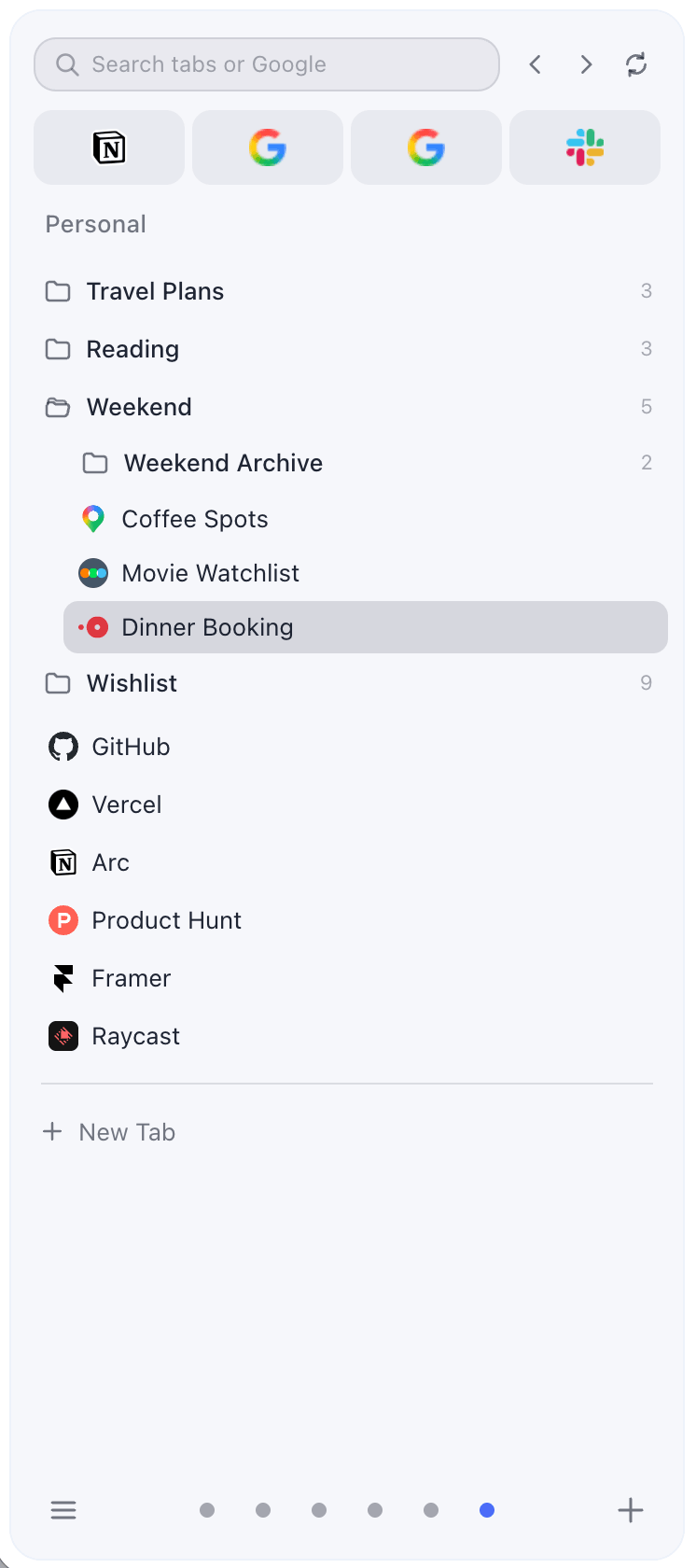
Workspace
Spaces, vertical tabs, folders, and pins — all in Chrome's side panel
What a workspace extension should do
- Separate projects — not mix work, research, and personal tabs in one strip
- Manage live tabs — show open tabs in real time, not just saved sessions
- Persist structure — folders and pins survive across browser restarts
- Navigate fast — switch contexts instantly, search across tabs
What weak workspace tools miss
Some tools only save and restore sessions. Others only change the tab layout. A real workspace extension needs both: live tab management and persistent structure. If you're rebuilding your environment every time you reopen Chrome, the tool isn't working.
What SideArc provides
SideArc turns Chrome's side panel into a workspace. Each space is a separate project with its own vertical tab list, pinned tools, and saved folders. Switch spaces with a click or swipe. Tabs open in the current space automatically. Drag to reorder, save to folders, pin core tools.
Related: browser workspace, tab session manager vs workspace.