
Side Space alternative
Simple side space extensions help you move tabs out of the top strip. A better alternative gives Chrome a full side-panel workspace with spaces, live tabs, pins, folders, drag-and-drop, and tab group sync.
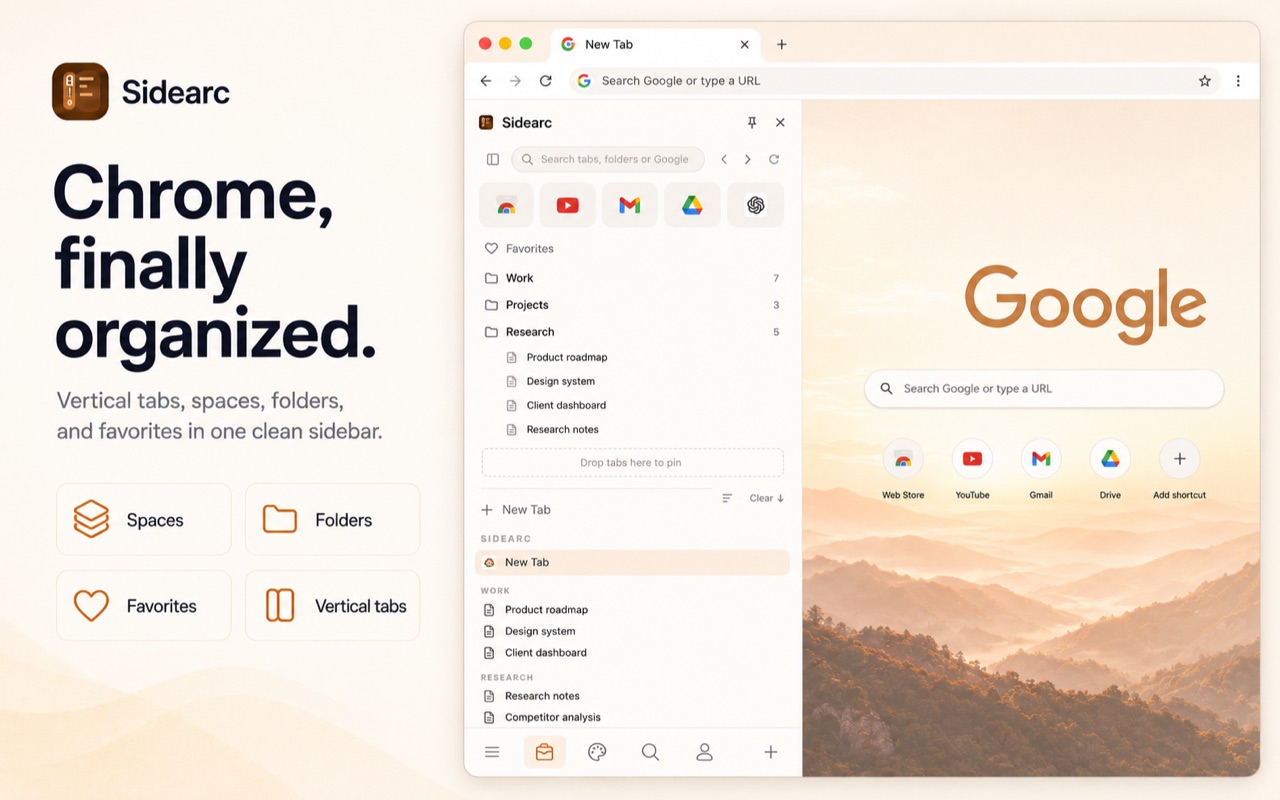
More than a tab list: spaces, pins, folders, and live tabs
Where simple side spaces fall short
A vertical list is useful, but it can become another messy list if it does not separate projects, preserve saved structure, or keep essential tools pinned by context.
A practical setup
- Spaces for separate projects and contexts
- Live vertical tabs with readable titles
- Folders for recurring links and saved research
- Pins that stay tied to each space
- Chrome tab group sync for native Chrome workflows
FAQ
What is a good Side Space alternative?+
SideArc is a strong fit if you want Chrome side-panel tabs plus spaces, folders, pins, and drag-and-drop organization.
How is SideArc different from a simple side space extension?+
SideArc is built as a workspace layer: vertical live tabs, separate spaces, saved folders, pinned tabs, and Chrome tab group sync.
Can I use SideArc for multiple projects?+
Yes. Each project can have its own space with active tabs, pinned tools, and saved links.
Does SideArc work inside Chrome?+
Yes. SideArc runs in Chrome's side panel, so your normal extensions, profiles, and tabs keep working.