
Best vertical tabs Chrome extension
Many vertical tab extensions give you a sidebar. Fewer give you a workspace. The best one depends on whether you need simple tab visibility or spaces, folders, and pins on top of your vertical tab list.
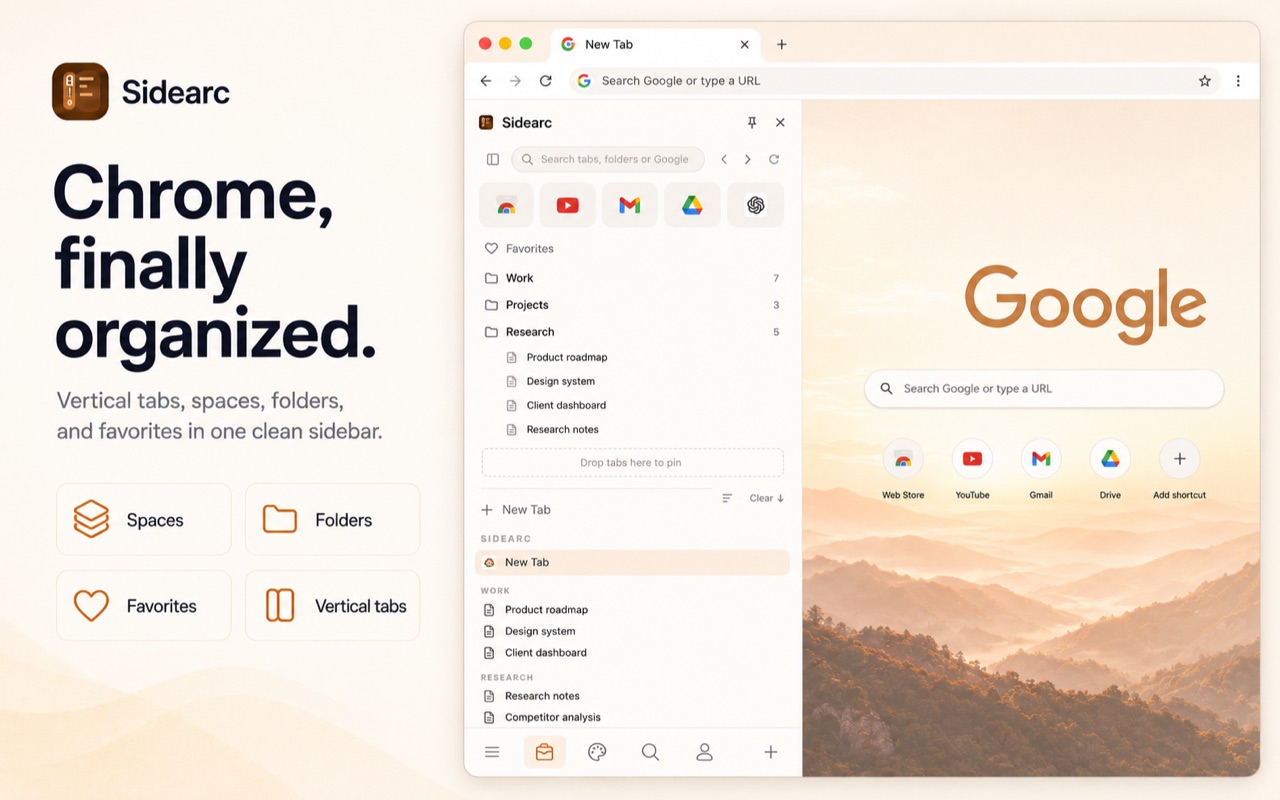
A good sidebar is the start. Spaces, folders, and pins are the real test.
What to compare
- Tab readability — do tabs still show full titles with 30+ open?
- Live tab management — does it manage open tabs, not just saved sessions?
- Project separation — can you split work into spaces or contexts?
- Saved structure — are folders and pins supported per workspace?
- Native integration — does it use Chrome's side panel or a separate window?
Simple sidebar vs workspace
Simple sidebar: moves tabs from horizontal to vertical. Good if your only problem is readability.
Workspace (SideArc): vertical tabs plus spaces, folders, pins, drag-and-drop, search, and swipe navigation. Built for people who use Chrome as a daily work surface across multiple projects.
What to look for in a complete vertical-tabs setup
- Vertical tabs in Chrome's native side panel
- Spaces for separate projects (swipe or click to switch)
- Nested folders for saved links per space
- Pinned tabs and favorites per space
- Drag-and-drop reordering and cross-space moves
- Built-in search (filter tabs or search Google)
- Chrome tab group sync if you already use groups
FAQ
What should I look for in a vertical tabs Chrome extension?+
Look for readable titles, project separation, pinned tools, saved structure, and smooth movement between contexts. A sidebar alone is usually not enough.
What makes SideArc different from simple vertical tab sidebars?+
SideArc adds spaces, folders, pins, and drag-and-drop organization in Chrome's side panel, so it behaves more like a workspace than a basic tab list.
Are vertical tabs useful if I only keep 10 to 15 tabs open?+
They still help, but the biggest benefit shows up once your tabs start collapsing into favicons and you need faster scanning by full title.
Can I try SideArc before paying?+
Yes. SideArc has a free tier with up to 2 spaces, so you can see whether the workflow fits before upgrading.