Guide
Vertical tabs for Chrome
Chrome now has native vertical tabs, so the question changed: what happens after the tabs are readable? SideArc adds spaces, folders, pins, search, and drag-and-drop structure for people who use Chrome as a workspace.
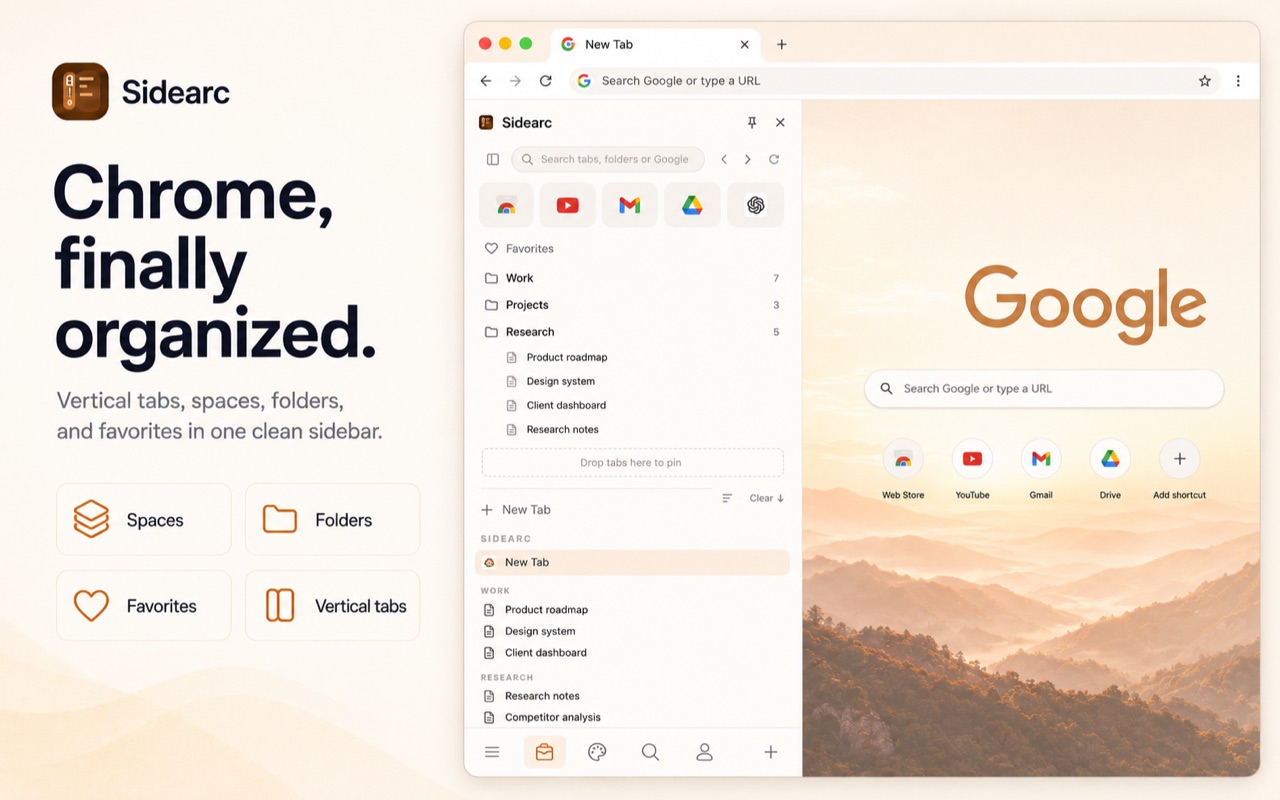
Every tab shows its full title. Projects are split into spaces.
What Chrome gives you now
Chrome's native vertical tabs make open tabs easier to scan. You also get tab groups, pinned tabs, bookmarks, and recently closed tabs. That is a solid default, but it is still browser-level organization, not a persistent workspace for projects, saved references, and recurring tools.
A practical setup
- Vertical tabs in a side panel — every tab shows its full title and favicon in a scannable list
- Spaces — separate contexts for work, research, personal, or any project. Swipe or click to switch
- Folders — save links into nested folders per space for recurring references
- Pins — keep core tools (calendar, inbox, docs) at the top of each space
- Drag-and-drop — reorder tabs, move them between spaces, drop links into folders
- Keyboard shortcut — Cmd+B / Ctrl+B toggles the panel open and closed
This page is about what comes after layout
If your only problem is unreadable titles, Chrome's built-in vertical tabs may be enough. If your real problem is separating live work by project, keeping reusable tabs saved, and pinning tools per context, use a workspace pattern instead.
Who gets the most value
Developers who keep docs, localhost, GitHub, and dashboards open at once. Researchers with long titles and many sources. PMs juggling cross-functional tools. Anyone who uses Chrome as a workspace rather than a temporary browser.
FAQ
How do I get vertical tabs in Chrome?+
Use Chrome's native vertical tabs if you only need a readable tab list. Use SideArc when you also want spaces, saved folders, pinned tools, search, and project organization in the side panel.
Does Chrome have built-in vertical tabs?+
Yes. Chrome now has native vertical tabs on desktop. SideArc adds the workspace layer Chrome still does not cover: spaces, saved structure, pins, folders, and drag-and-drop organization.
Are vertical tabs better than tab groups?+
They solve different problems. Tab groups cluster related tabs, while vertical tabs make them readable. SideArc gives you vertical tabs plus spaces, folders, and pins.
Is SideArc free to try?+
Yes. SideArc is free with up to 2 spaces, so you can test the workflow before deciding whether you want unlimited spaces.