
Guide
How to hide suggested posts on Instagram
Suggested posts are content from accounts you don't follow that Instagram inserts into your feed. They're one of the main reasons a quick check turns into 20 minutes of scrolling. Instagram lets you dismiss them one by one, but they always come back.
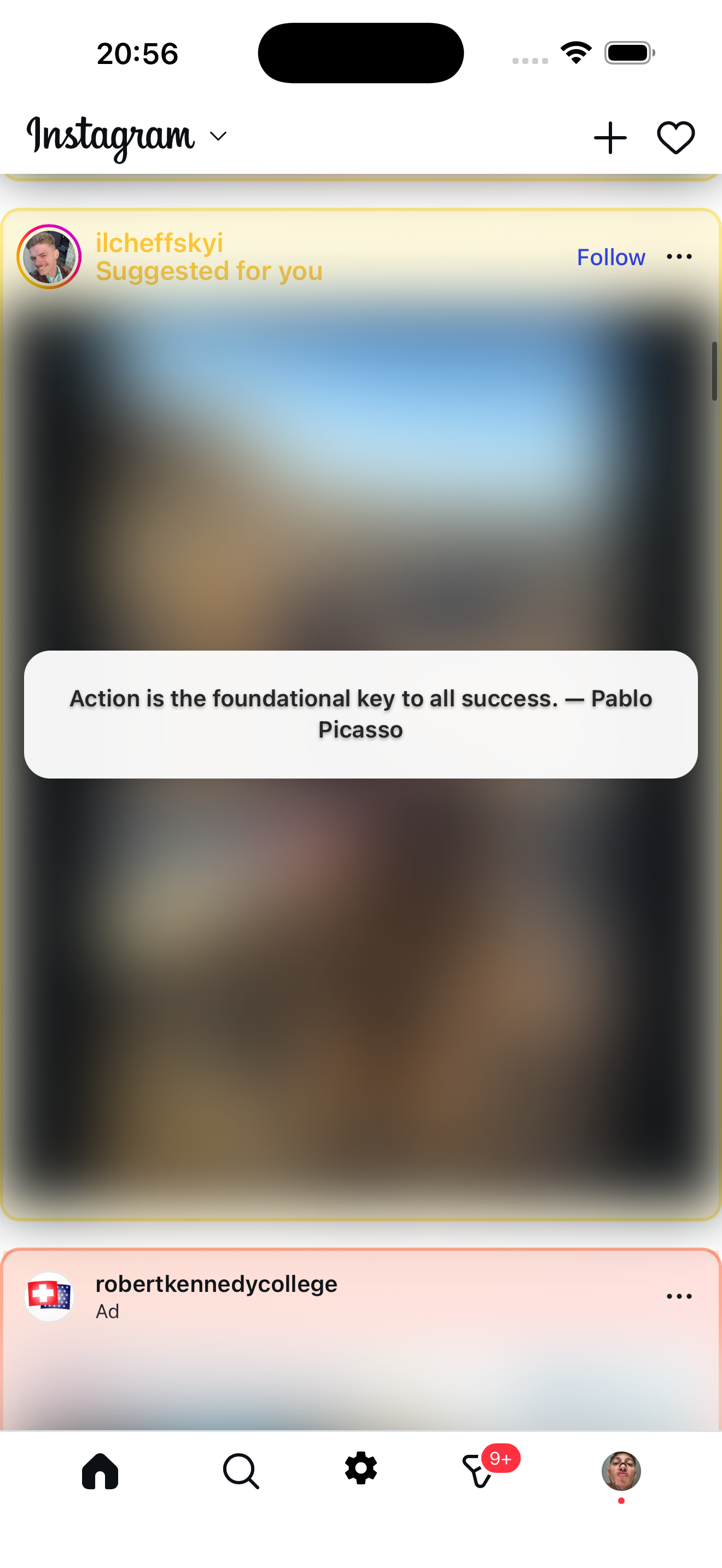
Suggested post blurred
A suggested post detected, blurred, and replaced with a quote
What Instagram lets you do natively
- Tap "Not interested" on each suggested post — removes that one post, but new ones replace it immediately.
- Tap "Snooze all suggested posts" — available sometimes, hides them for 30 days, then they return.
- Use Following feed — shows only people you follow, but resets to the algorithmic feed every time you reopen the app.
None of these remove suggested posts permanently.
What Zen Social does
Zen Social opens Instagram inside its own filtered browser. It detects suggested posts by looking for "Suggested for you" labels and follow buttons, then:
- Blurs the entire post — image, video, and engagement metrics are all hidden behind an 18px blur.
- Shows a replacement overlay — a fun fact, quote, language phrase, or your own custom text appears on top.
- Works automatically — you don't need to tap "Not interested" on each one.
Posts from accounts you follow appear normally. Only the algorithmic suggested content gets filtered.
FAQ
What can I show instead of suggested posts?
Fun facts (60+), inspirational quotes (30+), language phrases in 9 languages, productivity reminders, or your own custom text.
Can I turn the blur off?
Yes. There's a toggle in Zen Social's settings. You can also choose to blur only suggested posts and ads while keeping everything else visible.
Not affiliated with Instagram or Meta.
Related: Instagram messages only app, reduce Instagram screen time.