
Guide
How to reduce screen time on Instagram
Screen Time limits and app timers tell you to stop, but they don't change what makes Instagram hard to put down. The feed is still full of reels, suggested posts, and ads when you reopen it. Zen Social removes those instead.
Shorter sessions
Less junk in the feed means less reason to keep scrolling
Why time limits fail
iOS Screen Time and Instagram's built-in reminder both tell you you've been scrolling too long. But they don't change the feed. When you dismiss the warning or reopen the app, the same reels, suggested posts, and ads are waiting. The problem isn't awareness — it's the content.
What actually reduces screen time
Remove the content that extends sessions:
- Block reels — short videos are the fastest way to lose 30 minutes. Zen Social removes them entirely.
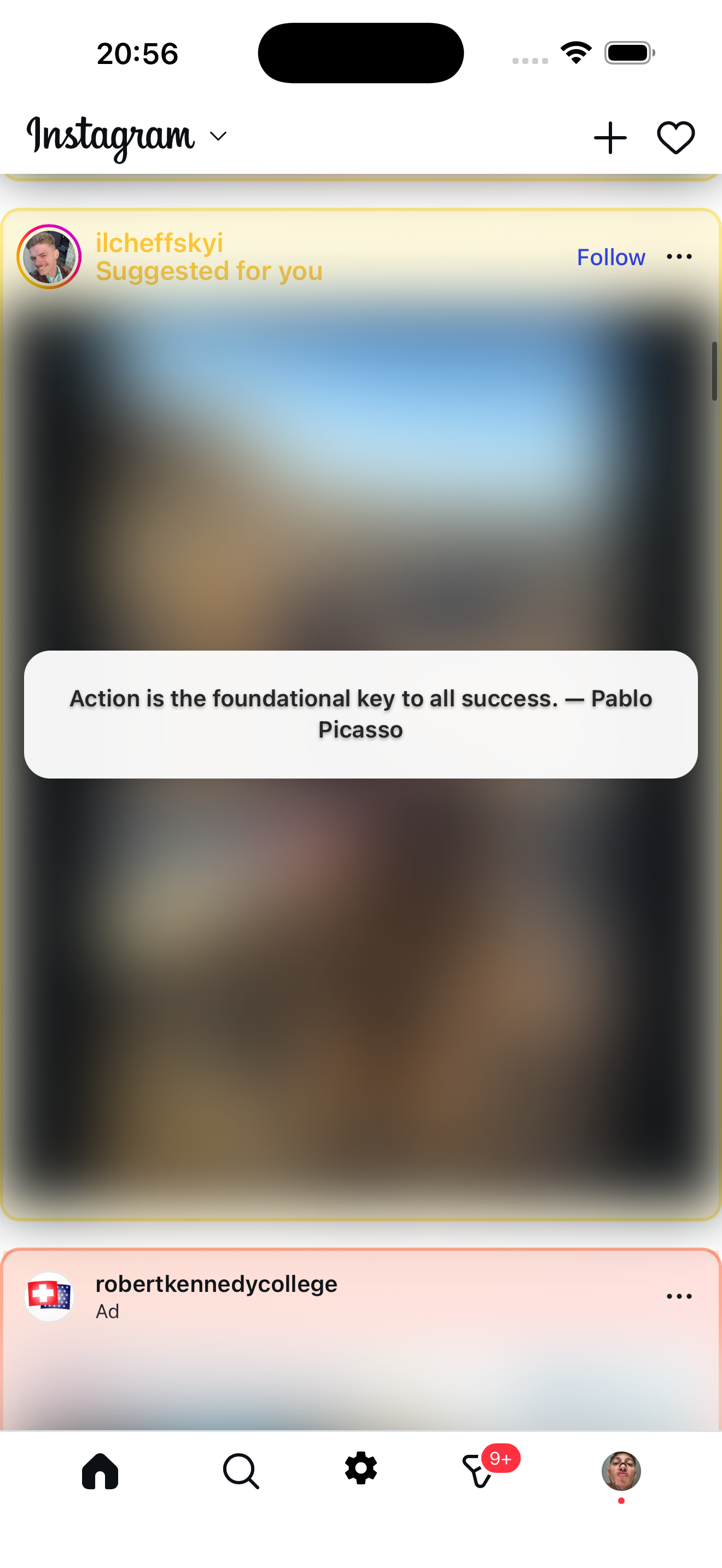
- Blur suggested posts — content from accounts you don't follow gets blurred and replaced with facts, quotes, or language tips.
- Remove ads — sponsored posts that pad every session are filtered out.
When the feed only shows posts from people you follow, there's naturally less to scroll through. Sessions get shorter without willpower.
Zen Social + time limits
You can use both. Zen Social cleans up the feed so sessions are shorter. iOS Screen Time can still set a hard cap for late nights. They work better together than either alone.
Not affiliated with Instagram or Meta.
Related: how to make Instagram less addictive, how to use Instagram intentionally.