
Guide
How to disable Instagram reels
Instagram does not let you turn off reels permanently. You can snooze suggested reels for 30 days, but they come back. Zen Social takes a different approach: it opens Instagram inside itself and blocks reels before they ever load.
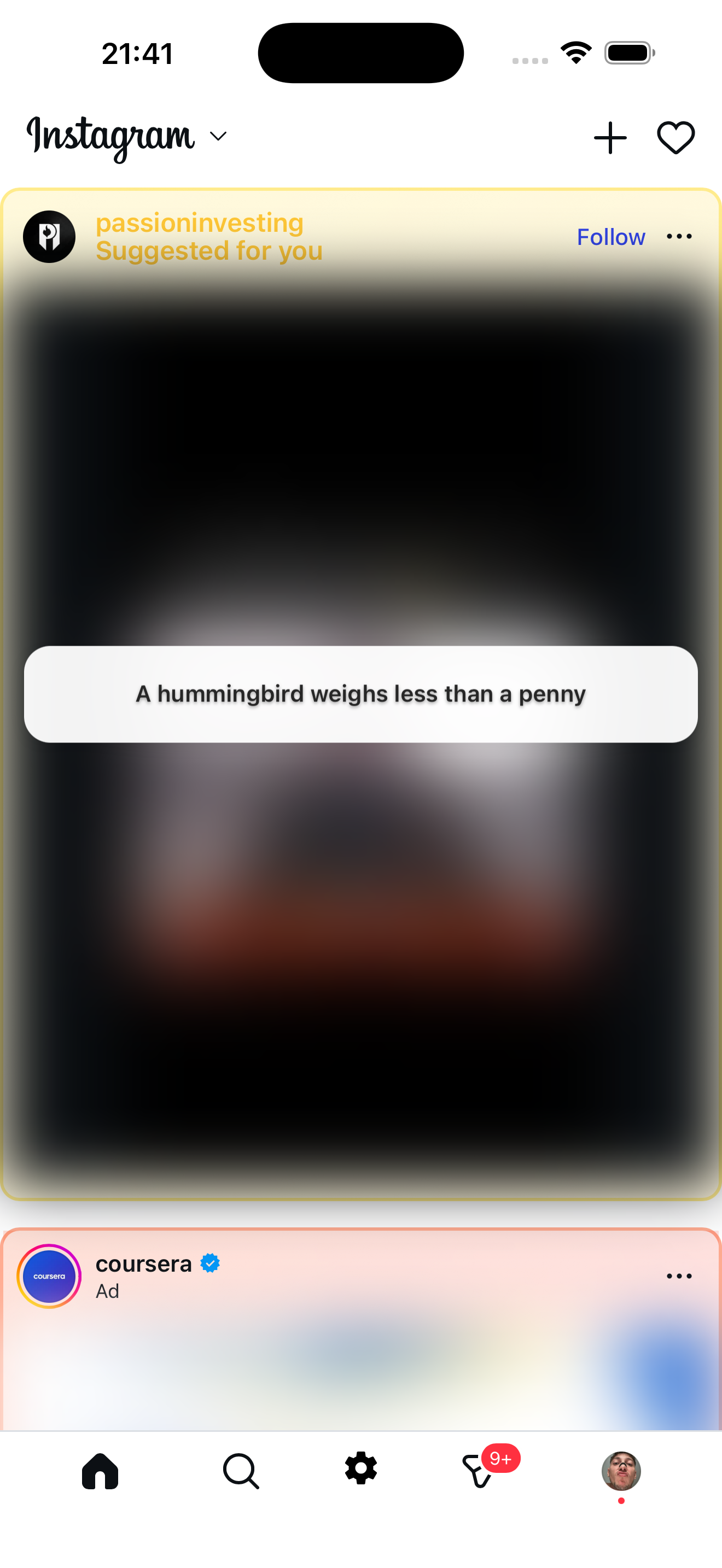
What the feed looks like
Reels are gone. Suggested posts are blurred and replaced with a fun fact.
What Instagram lets you do natively
- Snooze suggested reels — tap the three dots on a reel and choose "Not interested." This hides similar reels for about 30 days, then they return.
- Mute the Reels tab — not possible. The tab is fixed in the bottom navigation.
- Turn off autoplay — Instagram removed this option. Videos autoplay everywhere.
None of these fully disable reels. Instagram is built to keep short video front and center.
What Zen Social does instead
Zen Social opens Instagram inside its own app (a filtered browser). Before the page renders, it injects code that:
- Removes reel containers from the feed entirely — they never appear.
- Hides the Reels tab in the bottom navigation and replaces the icon.
- Stops video autoplay on the home feed.
- Blurs suggested posts and can replace them with fun facts, quotes, or language tips.
- Removes ads from the feed.
Messages, stories, and posts from people you follow all work normally.
FAQ
Can you fully disable reels on Instagram?
Not through Instagram's own settings. Zen Social blocks them completely by filtering the feed before reels load.
Do I need to log in again?
Yes, you log into Instagram through Zen Social's browser. Your account, messages, and followers are all the same.
Does it work on Android?
iOS is available now. Android is on the waitlist — email support@mekongapps.com to join.
Not affiliated with Instagram or Meta.
Related: Instagram without reels, best app to stop Instagram scrolling.